


How can we help?
Choose your hearing aid and what’s going on. The answer shows beside it.
Choose your hearing aid and what’s going on. The answer opens right below.
Your hearing aid
Your question
Setting up
 For your Oricle 2.0

Charging, ear-tip sizing, and your first day of wear, start to finish.
- Pick the tip that seals without pressureTips come in small, medium and large. Start with the medium; go smaller if it feels tight, larger if sound leaks and whistles.
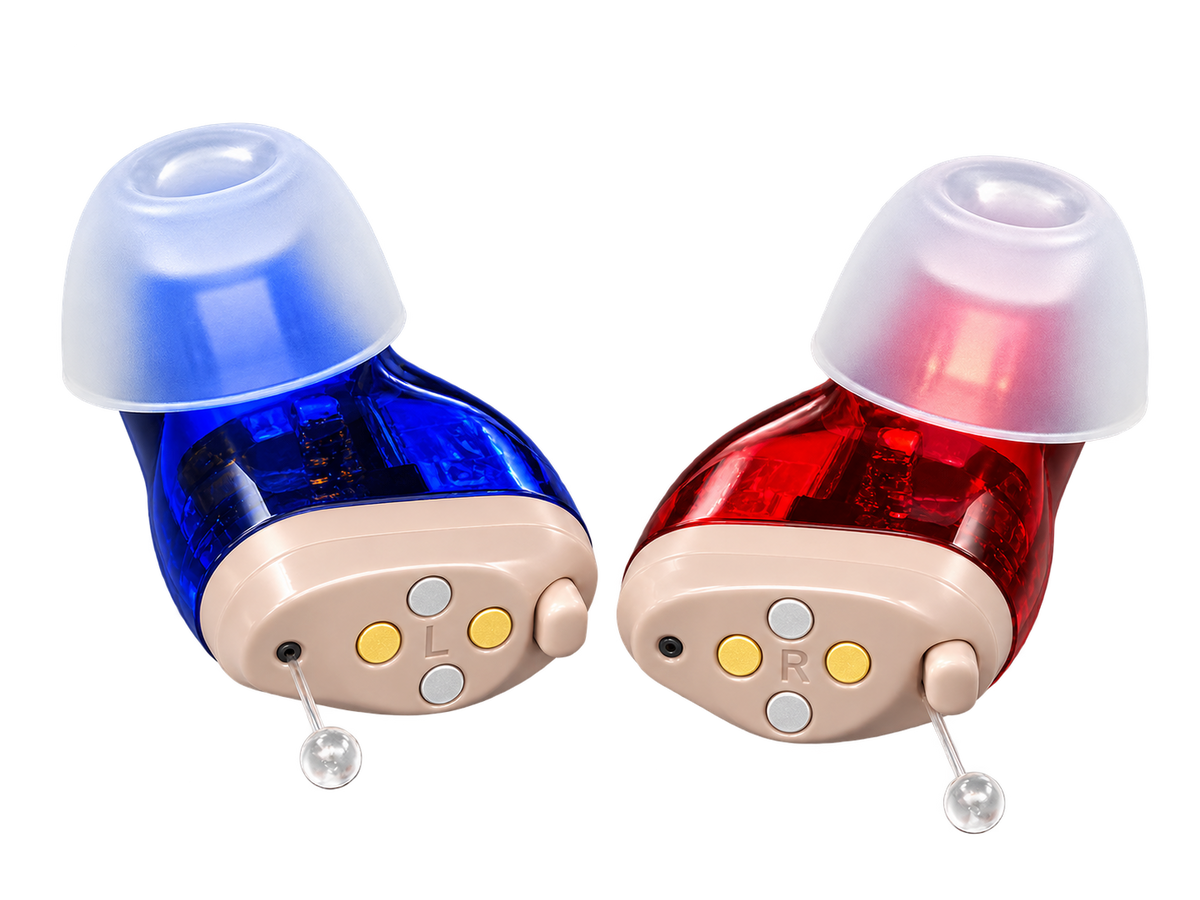
- Match the colour to the earBlue is the left aid and red is the right.
- Hold it by the faceplate, not the tipThe clear pull thread points down and stays outside the ear.
- Pull the top of your ear up and back, then push in gentlyThis straightens the canal. Stop as soon as it sits flush — it should never be pushed hard.
- It switches on by itselfIt starts about 12 seconds after you take it out of the case. Put it back in the case to turn it off.
- Turn the volume up until speech is comfortableTap the button to step up through the five levels; after the highest it starts again at the lowest. Start low. If you hear whistling, take it out and reseat it before turning the volume down.
Setting up
 For your Oricle Pro

Setup, plus how to move between the four listening programs.
- Pick the tip that seals without pressureTips come in small, medium and large. Start with the medium; go smaller if it feels tight, larger if sound leaks and whistles.
- Match the colour to the earBlue is the left aid and red is the right.
- Hold the button for 4 seconds to switch it onThe Pro does not start when you take it out of the case. Hold the same button for 4 seconds to switch it off, and always switch it off before it goes back in the case.
- Hold it by the faceplate, not the tipThe clear pull thread points up and stays outside the ear.
- Pull the top of your ear up and back, then push in gentlyThis straightens the canal. Stop as soon as it sits flush — it should never be pushed hard.
- Set the program before you set the volumePress and hold the button for 2 seconds to change program; a quick press changes the volume instead. The beeps tell you which: 1 Standard (everyday), 2 Restaurant, 3 Outdoor, 4 Music and Movies.
Setting up
 For your Oricle TrueFit

Hooking the body behind the ear, routing the tube, and seating the dome.
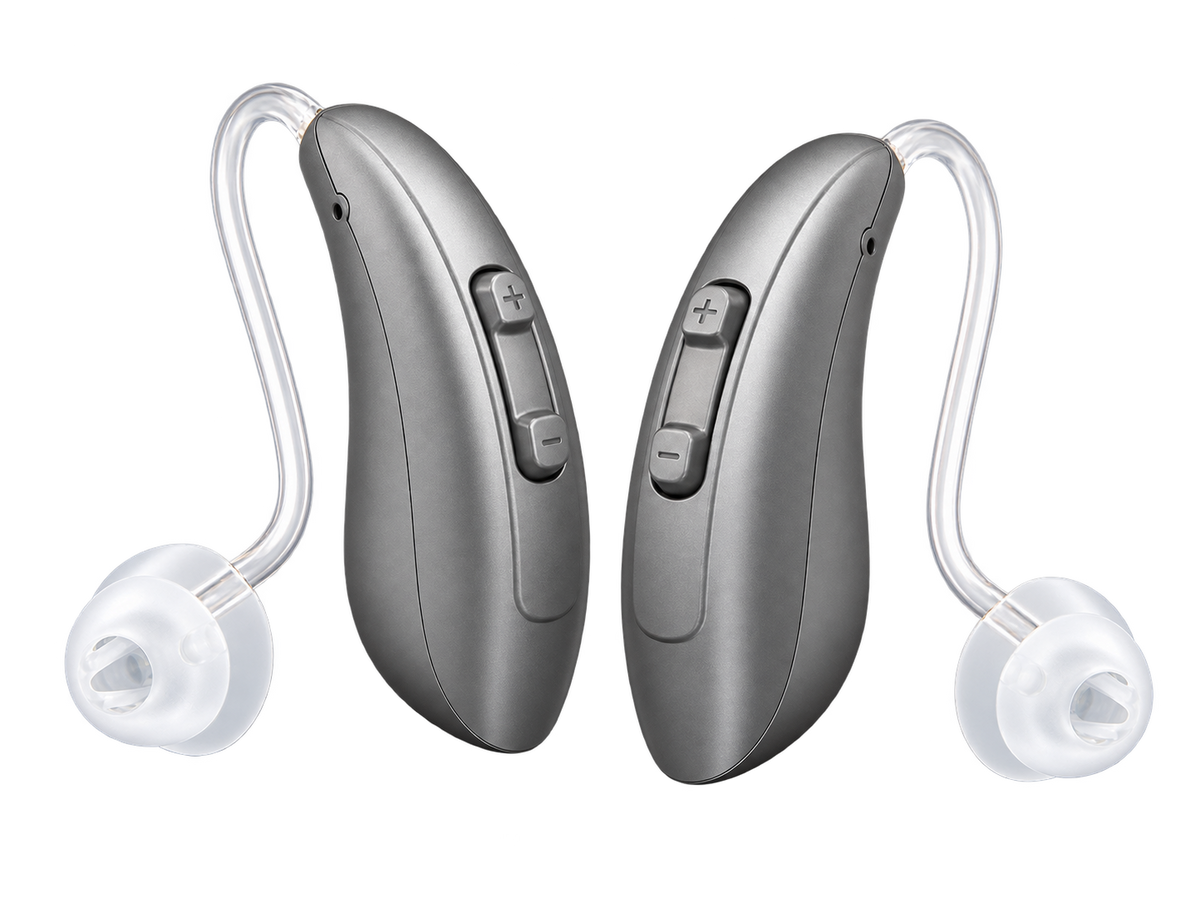
- Sort left from rightThe two aids are mirror images. Check which goes on which ear before you start.
- Hook the body over the top of your earThe body sits behind the ear, against your head, with the thin tube running forward toward the canal.
- Seat the dome in the canalFollow the tube down and push the soft dome in until it sits flush. It should disappear from view.
- Let the retention wire rest in your earIt should lie in the bowl of your ear, not pulled away. Run the tube along the crease where your ear meets your head so glasses and hats sit over it, not against it.
- It switches on by itselfIt starts when you take it out of the case. Press + on the rocker for louder and − for quieter, and hold + for about 2 seconds to change the listening mode.
Charging and battery
For your Oricle 2.0
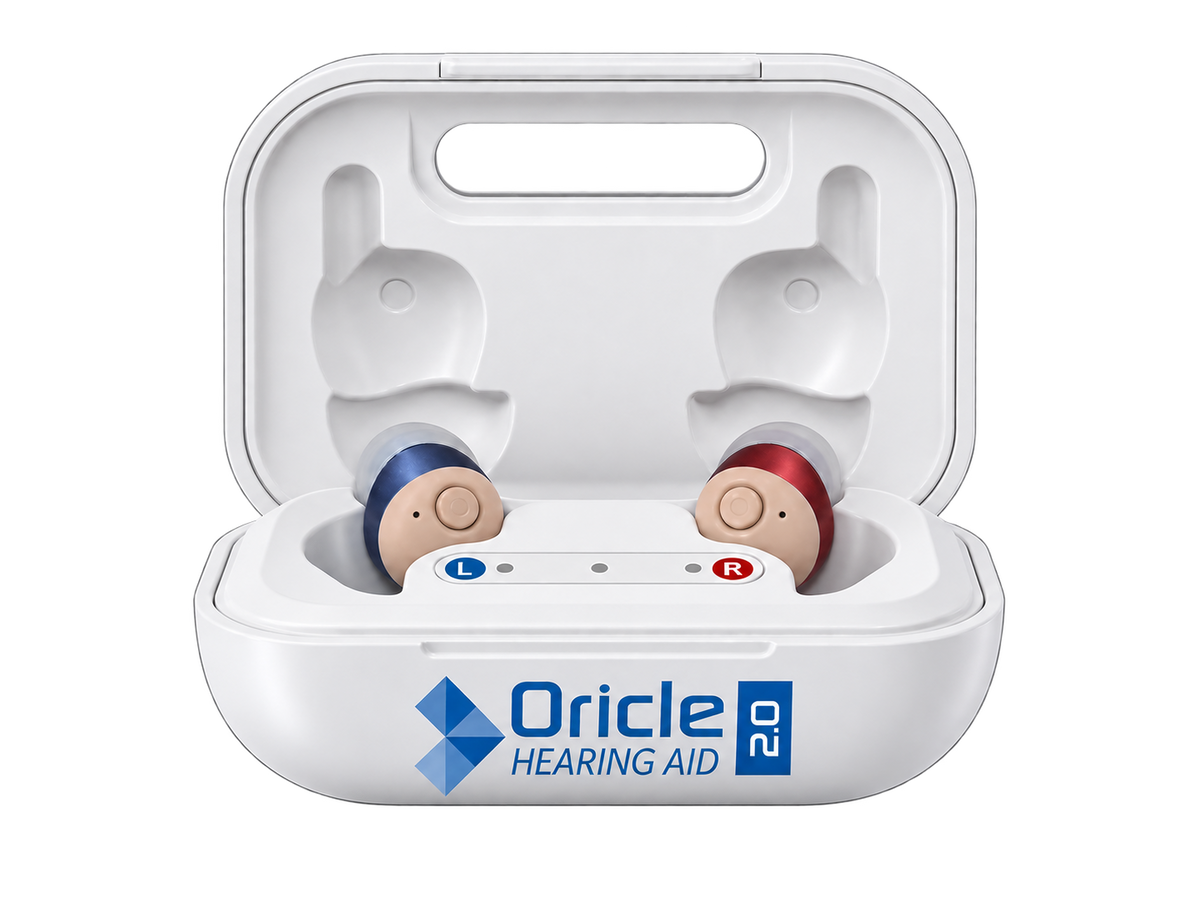
Charge the case every night for best performance. Won’t charge or won’t turn on? Work down these in order.
- Charge the case for at least 30 minutesPut the aids in the case and plug the case in. Make sure the charging cable is fully connected. The indicator lights on the case should turn on when it is plugged in (the TrueFit case shows a battery percentage instead).
- Put each aid in its own sideLeft goes in the left slot and right in the right. They are not interchangeable.
- Oricle Pro: switch the aids off firstHold the button for 4 seconds until they turn off, then put them in the case. A Pro left on in the case will not charge properly. The 2.0 and TrueFit switch off by themselves in the case.
- Try another power source or cableUse a wall outlet instead of a computer USB port, or a different cable if you have one.
- No lights at all?If no lights appear with another cable and power source, the case may need to be replaced. Email us and we’ll sort it out.
- Case has power but the aids won’t turn onWipe the surfaces of both aids and the case with a dry cloth so the contacts are clean and free of debris. Use the brush from the box on any wax or residue.
- Charge 30 more minutesPut the aids back in the case and wait another 30 minutes to be sure they charge.
Charging and battery
For your Oricle Pro
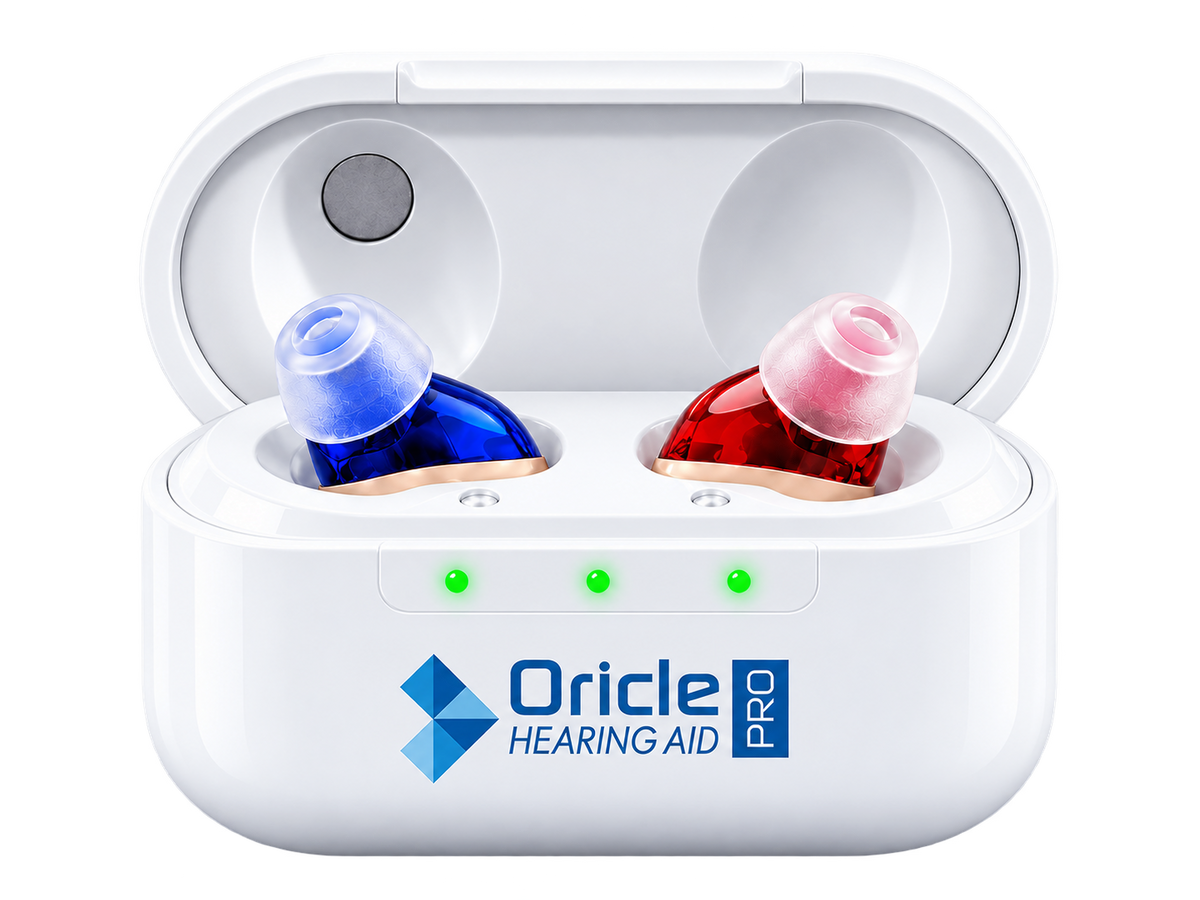
Charge the case every night for best performance. Won’t charge or won’t turn on? Work down these in order.
- Charge the case for at least 30 minutesPut the aids in the case and plug the case in. Make sure the charging cable is fully connected. The indicator lights on the case should turn on when it is plugged in (the TrueFit case shows a battery percentage instead).
- Put each aid in its own sideLeft goes in the left slot and right in the right. They are not interchangeable.
- Oricle Pro: switch the aids off firstHold the button for 4 seconds until they turn off, then put them in the case. A Pro left on in the case will not charge properly. The 2.0 and TrueFit switch off by themselves in the case.
- Try another power source or cableUse a wall outlet instead of a computer USB port, or a different cable if you have one.
- No lights at all?If no lights appear with another cable and power source, the case may need to be replaced. Email us and we’ll sort it out.
- Case has power but the aids won’t turn onWipe the surfaces of both aids and the case with a dry cloth so the contacts are clean and free of debris. Use the brush from the box on any wax or residue.
- Charge 30 more minutesPut the aids back in the case and wait another 30 minutes to be sure they charge.
Charging and battery
For your Oricle TrueFit
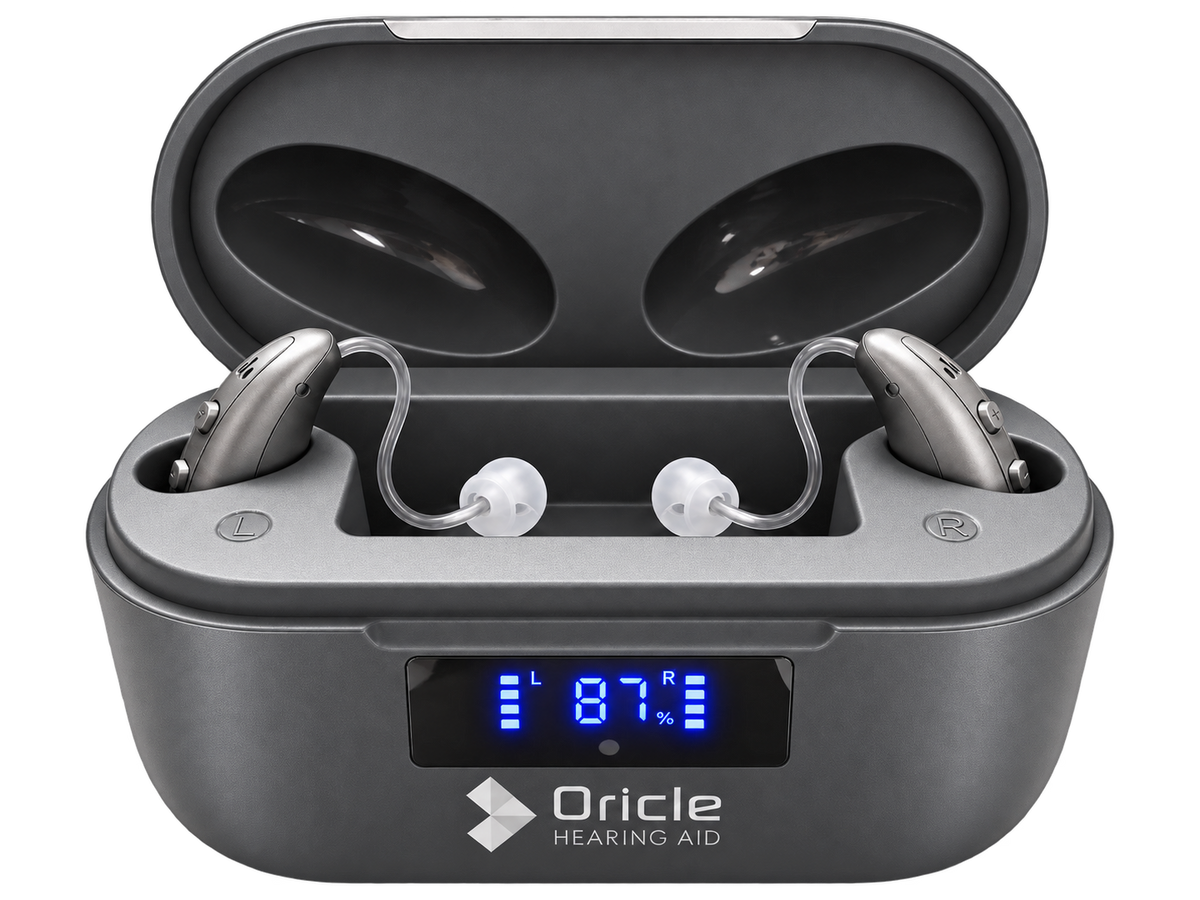
Charge the case every night for best performance. Won’t charge or won’t turn on? Work down these in order.
- Charge the case for at least 30 minutesPut the aids in the case and plug the case in. Make sure the charging cable is fully connected. The indicator lights on the case should turn on when it is plugged in (the TrueFit case shows a battery percentage instead).
- Put each aid in its own sideLeft goes in the left slot and right in the right. They are not interchangeable.
- Oricle Pro: switch the aids off firstHold the button for 4 seconds until they turn off, then put them in the case. A Pro left on in the case will not charge properly. The 2.0 and TrueFit switch off by themselves in the case.
- Try another power source or cableUse a wall outlet instead of a computer USB port, or a different cable if you have one.
- No lights at all?If no lights appear with another cable and power source, the case may need to be replaced. Email us and we’ll sort it out.
- Case has power but the aids won’t turn onWipe the surfaces of both aids and the case with a dry cloth so the contacts are clean and free of debris. Use the brush from the box on any wax or residue.
- Charge 30 more minutesPut the aids back in the case and wait another 30 minutes to be sure they charge.
Sound isn’t right
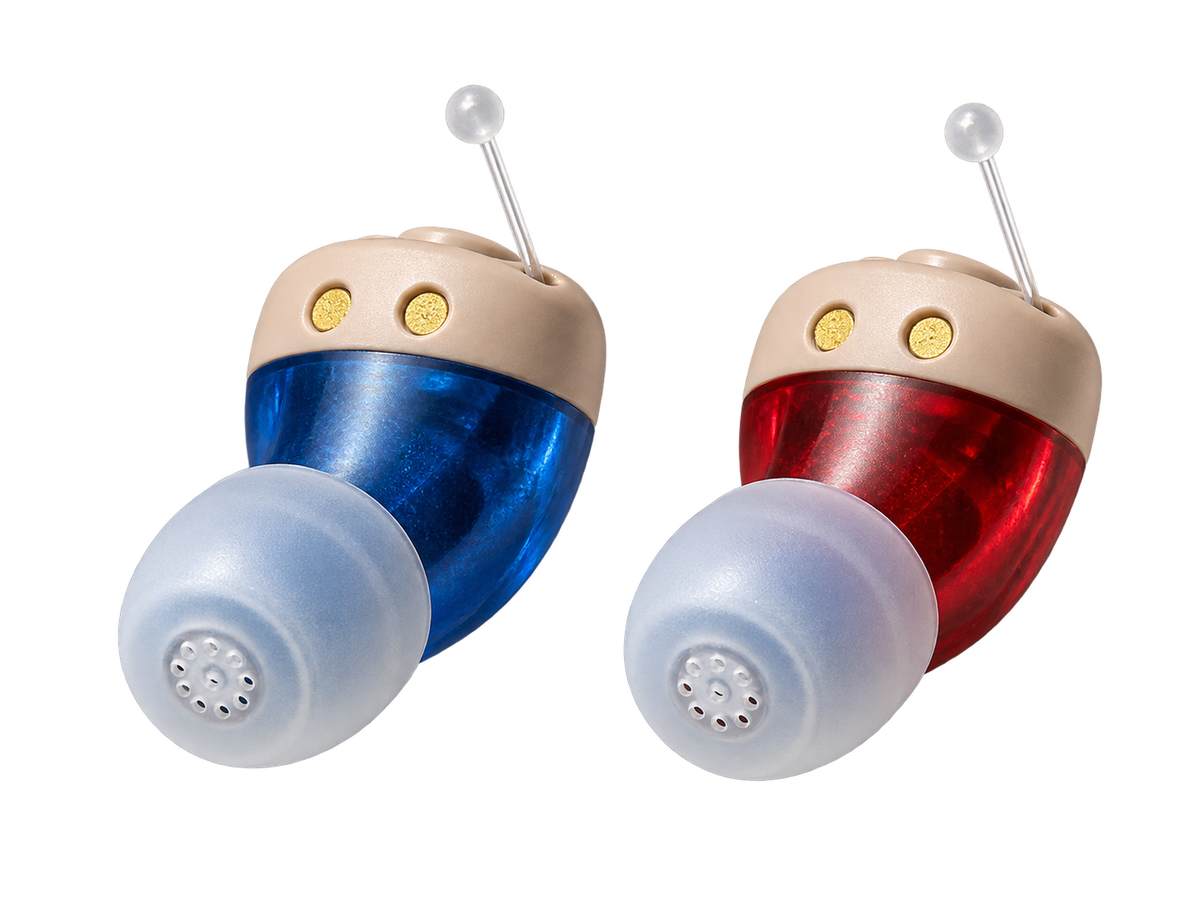
Check the volume first, then the ear tip.
- Press the button to cycle through the volume levelsYour aids have adjustable volume; after the highest level it starts again at the lowest. On the TrueFit, use the + and − rocker instead.
- Clean the ear tip and the sound openingIf it is still too quiet at the highest level, earwax on the speaker can muffle the sound. Hold the aid opening-down and brush it clear with the brush from the box.
- Replace the wax guardA new wax guard may also help.
- Check the tip for wearReplace a tip that is worn, cracked, stiff or blocked. Tips are best replaced about once a month.
- Take it out and reseat itA tip sitting short of the canal sounds thin and quiet. Pull the top of your ear up and back, then push in gently until it sits flush.
- Make sure they are chargedPut both aids in the case and charge them for at least 30 minutes before you test again.
Sound isn’t right
Whistling is sound leaking back out of the ear. It is a seal problem, not a volume problem.
- Reseat the aid before anything elseTake it out and put it back with the tip fully in the canal. A tip sitting proud of the canal whistles at any volume.
- Try the next tip size upA tip that is slightly too small leaks. Size up before you turn the volume down. Replace a tip that is worn, cracked or clogged.
- Clear hair, glasses arms and hatsAnything pressed against the aid reflects sound back into it. On the TrueFit, tuck the tube flat into the crease behind your ear.
- Expect a brief whistle when something comes closeA hug, a phone against your ear or a cupped hand will whistle for a second. That is the aid working, not a fault.
- Lower the volume lastOnly once the seal is right — turning it down first hides the problem and costs you speech clarity.
Sound isn’t right
Check the volume first, then the ear tip.
- Press the button to cycle through the volume levelsYour aids have adjustable volume; after the highest level it starts again at the lowest. On the TrueFit, use the + and − rocker instead.
- Clean the ear tip and the sound openingIf it is still too quiet at the highest level, earwax on the speaker can muffle the sound. Hold the aid opening-down and brush it clear with the brush from the box.
- Replace the wax guardA new wax guard may also help.
- Check the tip for wearReplace a tip that is worn, cracked, stiff or blocked. Tips are best replaced about once a month.
- Take it out and reseat itA tip sitting short of the canal sounds thin and quiet. Pull the top of your ear up and back, then push in gently until it sits flush.
- Make sure they are chargedPut both aids in the case and charge them for at least 30 minutes before you test again.
Sound isn’t right
Whistling is sound leaking back out of the ear. It is a seal problem, not a volume problem.
- Reseat the aid before anything elseTake it out and put it back with the tip fully in the canal. A tip sitting proud of the canal whistles at any volume.
- Try the next tip size upA tip that is slightly too small leaks. Size up before you turn the volume down. Replace a tip that is worn, cracked or clogged.
- Clear hair, glasses arms and hatsAnything pressed against the aid reflects sound back into it. On the TrueFit, tuck the tube flat into the crease behind your ear.
- Expect a brief whistle when something comes closeA hug, a phone against your ear or a cupped hand will whistle for a second. That is the aid working, not a fault.
- Lower the volume lastOnly once the seal is right — turning it down first hides the problem and costs you speech clarity.
Sound isn’t right
Check the volume first, then the ear tip.
- Press the button to cycle through the volume levelsYour aids have adjustable volume; after the highest level it starts again at the lowest. On the TrueFit, use the + and − rocker instead.
- Clean the ear tip and the sound openingIf it is still too quiet at the highest level, earwax on the speaker can muffle the sound. Hold the aid opening-down and brush it clear with the brush from the box.
- Replace the wax guardA new wax guard may also help.
- Check the tip for wearReplace a tip that is worn, cracked, stiff or blocked. Tips are best replaced about once a month.
- Take it out and reseat itA tip sitting short of the canal sounds thin and quiet. Pull the top of your ear up and back, then push in gently until it sits flush.
- Make sure they are chargedPut both aids in the case and charge them for at least 30 minutes before you test again.
Sound isn’t right
Whistling is sound leaking back out of the ear. It is a seal problem, not a volume problem.
- Reseat the aid before anything elseTake it out and put it back with the tip fully in the canal. A tip sitting proud of the canal whistles at any volume.
- Try the next tip size upA tip that is slightly too small leaks. Size up before you turn the volume down. Replace a tip that is worn, cracked or clogged.
- Clear hair, glasses arms and hatsAnything pressed against the aid reflects sound back into it. On the TrueFit, tuck the tube flat into the crease behind your ear.
- Expect a brief whistle when something comes closeA hug, a phone against your ear or a cupped hand will whistle for a second. That is the aid working, not a fault.
- Lower the volume lastOnly once the seal is right — turning it down first hides the problem and costs you speech clarity.
Fit and comfort
For your Oricle 2.0

A hearing aid should sit flush and disappear. Pressure means the tip is too big; movement means it is too small.
- Work through the tip sizesEar tips come in small, medium and large. Start with the medium. If the aid feels loose or falls out, or you hear whistling, try the next size up. If it feels too tight or uncomfortable, try the next size down.
- Straighten the canal before you pushPull the top of your ear up and back with your free hand and open your mouth wide, then push in gently. Stop as soon as it sits flush — it should never need force.
- Change a tip without forcing itStandard tips pull straight off the aid; push the new one onto the nozzle until it clicks and feels secure. Double-dome tips attach differently: flip the tip inside out, hook its inner opening onto the rim of the aid, stretch it down and around the body, then flip it back.
- If a tip gets stuckIf it will not come out easily with your fingers, do not use tweezers or cotton swabs. Get medical help.
- Build up wear over the first weeksAn hour or two a day to start, adding time as your ears adjust. New sound is tiring before it is normal.
- Take them out for showers and hair sprayStore them in the closed case. Heat and damp are what shorten a tip’s life.
Fit and comfort
For your Oricle Pro

A hearing aid should sit flush and disappear. Pressure means the tip is too big; movement means it is too small.
- Work through the tip sizesEar tips come in small, medium and large. Start with the medium. If the aid feels loose or falls out, or you hear whistling, try the next size up. If it feels too tight or uncomfortable, try the next size down.
- Straighten the canal before you pushPull the top of your ear up and back with your free hand and open your mouth wide, then push in gently. Stop as soon as it sits flush — it should never need force.
- Change a tip without forcing itStandard tips pull straight off the aid; push the new one onto the nozzle until it clicks and feels secure. Double-dome tips attach differently: flip the tip inside out, hook its inner opening onto the rim of the aid, stretch it down and around the body, then flip it back.
- If a tip gets stuckIf it will not come out easily with your fingers, do not use tweezers or cotton swabs. Get medical help.
- Build up wear over the first weeksAn hour or two a day to start, adding time as your ears adjust. New sound is tiring before it is normal.
- Take them out for showers and hair sprayStore them in the closed case. Heat and damp are what shorten a tip’s life.
Fit and comfort
For your Oricle TrueFit

A hearing aid should sit flush and disappear. Pressure means the tip is too big; movement means it is too small.
- Work through the tip sizesEar tips come in small, medium and large. Start with the medium. If the aid feels loose or falls out, or you hear whistling, try the next size up. If it feels too tight or uncomfortable, try the next size down.
- Straighten the canal before you pushPull the top of your ear up and back with your free hand and open your mouth wide, then push in gently. Stop as soon as it sits flush — it should never need force.
- Change a tip without forcing itStandard tips pull straight off the aid; push the new one onto the nozzle until it clicks and feels secure. Double-dome tips attach differently: flip the tip inside out, hook its inner opening onto the rim of the aid, stretch it down and around the body, then flip it back.
- If a tip gets stuckIf it will not come out easily with your fingers, do not use tweezers or cotton swabs. Get medical help.
- Build up wear over the first weeksAn hour or two a day to start, adding time as your ears adjust. New sound is tiring before it is normal.
- Take them out for showers and hair sprayStore them in the closed case. Heat and damp are what shorten a tip’s life.
My order

Orders ship within 24 hours and arrive in 3 to 6 business days.
- Ships within 24 hours
- Tracking number by emailWe email it as soon as your order ships.
- Arrives in 3 to 6 business daysTracking can take up to 48 hours to start updating after the number is issued. An early scan gap is normal. If yours still hasn’t moved, tell us and we’ll look it up from our side.
Returns and refunds
You have 30 days from delivery to return them. Email us your order number and the reason for the return, and we’ll reply with a link to create your return label.
- Email usWrite to support@oriclehearing.com with your order number and the reason for the return. The button below starts the email for you.
- Create your return labelOur reply has a link to the return portal, which makes your label.
- Pack it so it arrives safelyHearing aids can come back in any condition within 30 days. Supplements and cleaning products must be unopened. “Return to Sender” packages cannot be processed.
- Ship it back within 7 daysUse the address on your return label: a return sent anywhere else isn’t eligible for a refund. Ship within 7 days of creating the label. You pay return shipping: the cost of the label is deducted from your refund.
- Watch for the refundWith the label from the return portal, we process your refund as soon as the package is scanned on its way back to us. A self-shipped return is refunded once we receive and inspect it. Your bank may take up to 3 business days to show it. The refund is less the processing fee and shipping costs, and the shipping you paid at checkout is not refunded.
Other questions
The questions we get most.
Still need a person?
Replies within 1 business day.
Thanks. We have your message.


